Connecting a laundry brand’s customers, runners, stores and head office.
An application suite for Tumbledry’s laundry and dry cleaning network: a customer app, a runner app, store and master web software, and an app for franchise owners.
- Client
- Tumbledry
- Year
- 2019
- Applications
- Customer app, runner app, store web software, franchisee owner app and master web software
- Services covered
- Laundry, dry cleaning, shoe cleaning, home, carpet and sofa cleaning, and car wash
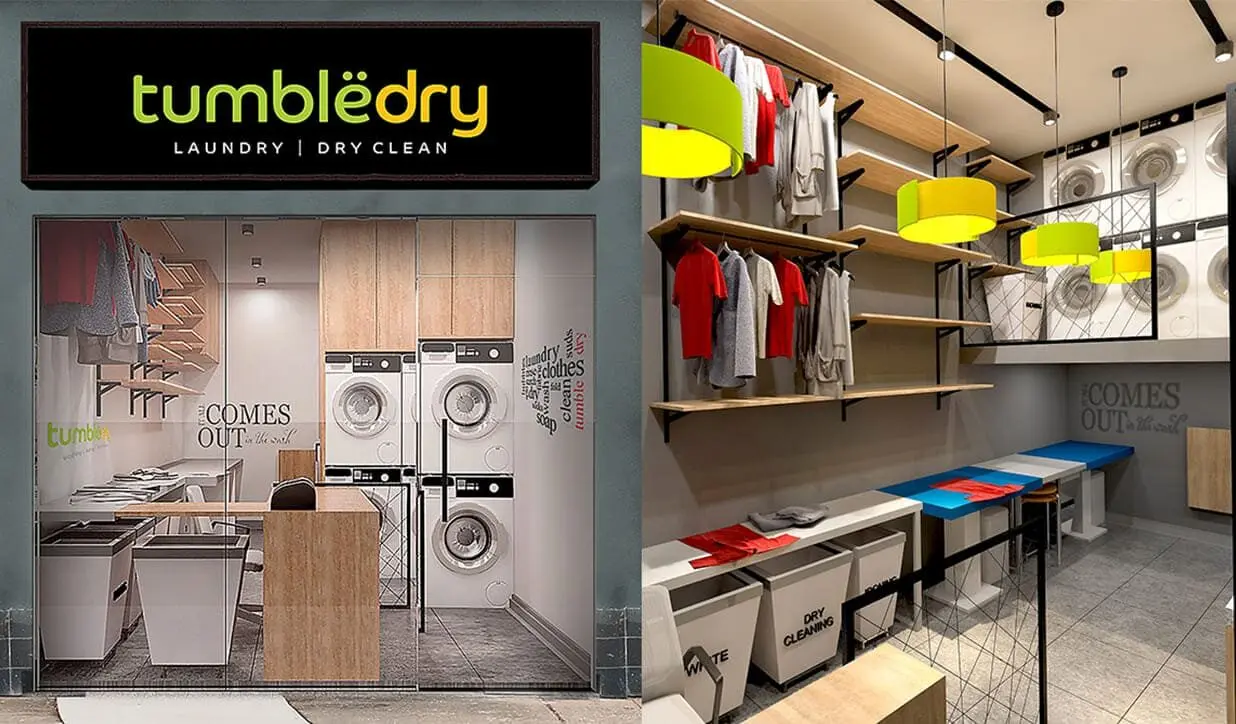
One order, passing through four sets of hands.
A laundry and dry cleaning network runs on handovers. A customer asks for a pick-up, a runner collects the clothes, a franchise store processes them, and the runner brings them back. Rates and services can differ from store to store, and the franchise owner and the head office both need to see how the network is doing.
The application suite gave each of those people their own application, all working from the same orders, customers and rate cards.
The challenge
Four needs shaped the design.
Many services, different prices at every store
Wash and fold, wash and iron, ironing, dry cleaning, shoe cleaning, home, carpet and sofa cleaning and car wash, each with additional services such as spot cleaning, starch and moth proofing. The service list and rate card are configurable at store, city and national level.
Pick-up and delivery by runners
Customers request a pick-up in one tap and choose a one-hour slot. Runners collect the clothes, create the order with counts by clothing type, weights and photographs of special items, and request payment.
Requests from every channel
Pick-up requests arrive from the app, by phone, through the customer service desk and by email. The store registers each one and routes it to a runner, and customers are notified through the channel they used.
Visibility from the store to the head office
Stores, franchise owners and the head office each need reports on revenue, new customers, orders inside and outside turnaround time, pending pick-ups, outstanding amounts and customer ratings.
Five applications, one network.
Customer app
Sign in with a one-time password, enter an address by pin code with the city detected automatically, and see whether service is available in that area. From the home page:
- One-tap pick-up requests with one-hour slots, cancellation before the request becomes an order, and rescheduling up to an hour before the slot.
- A price calculator that works like a shopping cart: add clothes and services to see an estimated fare.
- Order history with invoices, payment mode, discounts and loyalty points used.
- Payment by cards, net banking, wallets, UPI, cash or the loyalty points wallet.
- Membership plans, loyalty points, offers, a store locator, ratings, FAQs and testimonials.
Runner app
Runners see their pick-up requests with address, customer ID, mobile number and time, and create orders on the spot: service type, normal or express, counts of men’s, women’s and kids’ clothes and shoes, additional services, total weight and photographs with remarks.
They send the customer a payment link by app, email and SMS, confirm cash received, and mark the order delivered, which sends the invoice to the customer’s app and email.
Store web software
Stores map runners, register and route pick-up requests from every channel, create orders, update order status through the store process, apply percentage or rupee discounts and take payments by card, wallet or cash.
Store managers also see summary reports and their accounting: a ledger by payment mode, pending amounts, the previous month’s settlement and TDS and GST details.
Franchisee owner app
Reports for the franchise owner, cumulative across all stores and store by store, with customer-wise detail on click: revenue for the day, month and financial year, orders inside and outside turnaround time, pending pick-ups, outstanding amounts, inactive customers and store ratings, including customers who rated the last transaction three or below.
Master web software
The head office maps franchisees to stores and configures the rate card and service list at store, city and national level. It also manages the customer care number, offers and discounts, FAQs, terms, testimonials and brand notifications, with a master database for custom reports.
Notifications by channel
Customers who book through the app receive push notifications only. Customers who book another way receive SMS and email. Status updates run from pick-up request received through runner out for pick-up, in process, ready, out for delivery and payment requested to delivered. Customers inactive for 30 days receive messages to bring them back.
Offers, loyalty and membership.
The suite included a promotions layer so each store, city or the whole network could run its own offers. The documented offer types:
- A percentage discount on the first order.
- Referral vouchers that reward both the referrer and the friend.
- Loyalty points for paying through the app, and discounts through the payment gateway.
- A discount on one service when another is used.
- Free kilograms of service for every set number of kilograms ordered.
- Weekday discounts, cloth-type discount slabs and coupon codes.
- Prepaid plans: pay a set amount and receive a larger value of services.
Membership plans show the plan’s expiry date and the benefits remaining in real time.
What the customer sees as an order moves.
Request received
The pick-up request is received and the order reaches the store.
Runner out for pick-up
The customer gets the runner’s mobile number.
Order in process
The clothes are processed at the store.
Ready
The order is processed and waiting for delivery or store pick-up.
Runner out for delivery
With the runner’s mobile number again.
Delivered and paid
Payment is requested, then the order is delivered and the invoice arrives in the app and by email.
Scope described here follows the requirements document for the laundry application suite.
Planning a system like this?
Tell us what you need to track, connect or run. We will help identify a practical next step.
- Phone
- 011 6965 2831
- Office
- KLJ Noida One, Block B, Industrial Area, Sector 62, Noida, Uttar Pradesh 201309